Keyboard shortcut for Interactive Grid in Oracle APEX
by Himansu Behera · Published · Updated
In a default set Interactive grid report (IG Report) is having some options like Add Row, Edit Row, Delete Row, Refresh Row etc.
Below Javascript code will create keyboard shortcut for each actions available in Interactive Grid(IG Report)
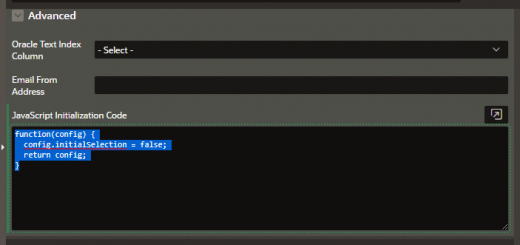
To find the right place to apply the JS code, follow below steps:
- Go to your page
- Click on IG Report Region.
- Go to region attributes.
- Under advance section go to Javascript Initialization Code
- Now paste below code and save the page.
function( options ) {
//Tab and Shift-Tab will skip over cells that are read-only
options.defaultGridViewOptions = {
skipReadonlyCells: true
};
options.initActions = function( actions ) {
//Action to focus on the Search Bar
actions.add( {
name: “focus”,
label: “focus”,
action: function( event, focusElement ) {
var ig$ = $(actions.context);
ig$.interactiveGrid(“focus”);
return true;
}
});
// Add a keyboard shortcut to Add a Row
actions.lookup( “row-add-row” ).shortcut = “Alt+A”;
actions.update( “row-add-row” );
// Add a keyboard shortcut to Delete a Row
actions.lookup( “row-delete” ).shortcut = “Alt+D”;
actions.update( “row-delete” );
// Add a keyboard shortcut to Save the changes
actions.lookup( “save” ).shortcut = “Alt+S”;
actions.update( “save” );
// Add a keyboard shortcut to refresh the IG
actions.lookup( “refresh” ).shortcut = “Alt+R”;
actions.update( “refresh” );
// Add a keyboard shortcut to focus on the Search Bar
actions.lookup( “focus” ).shortcut = “Alt+F”;
actions.update( “focus” );
// Add a keyboard shortcut to reset the IG
actions.lookup( “reset-report” ).shortcut = “Alt+C”;
actions.update( “reset-report” );
}
return options;
}
Run you page and check the shortcut.
Thanks.